Dreamina Seedance 2.5
Tutorial & API Reference
Introducción
Dreamina Seedance 2.5 es un modelo de creación de vídeo de próxima generación con mejoras importantes en narración de formato largo, soporte de referencia omni y edición.
- Genera hasta 30 segundos de vídeo por request
- Acepta hasta 50 assets de referencia omni por request
- Soporte de extensión de vídeo en múltiples rondas
- Edición precisa basada en timestamps
- Calidad visual mejorada, aspecto más realista y cinematográfico
Tipos de tarea y restricciones
Seedance 2.5 determina el tipo de tarea según los assets de input y el intent del prompt.
| Tipo de tarea | Condición de activación | Restricciones especiales |
|---|---|---|
| Text-to-video | Solo se proporciona un prompt de texto. | Sin restricciones especiales en ratio o duration. |
| First-frame / First-last-frame video generation | content.role = first_frame o last_frame. |
ratio debe ser adaptive. El modelo mantiene el aspect ratio consistente con la imagen del primer frame especificada por first_frame. |
| Omni reference video generation | Reference-to-video: content contiene al menos un asset con role = reference_image, reference_video, o reference_audio. |
Sin restricciones especiales en ratio o duration. |
Video editing: content contiene al menos un vídeo con role = reference_video, y el prompt expresa intent de edición. |
ratio debe ser adaptive; duration debe ser -1. El modelo selecciona el vídeo a editar según el intent del prompt. El vídeo de referencia debe tener 4–30 s de duración. |
|
Video extension: content contiene al menos un vídeo con role = reference_video, y el prompt expresa intent de extensión. |
ratio debe ser adaptive. El modelo selecciona el vídeo a extender según el intent del prompt. |
Métodos de configuración: omni_reference_task_type
Omni reference sin especificar subtarea (auto)
{
  "omni_reference_task_type": "auto",
  "ratio": "adaptive",
  "duration": -1
}auto, el modelo puede clasificar la tarea como reference-to-video, video editing o video extension según el prompt. La config recomendada satisface las restricciones de cada tipo.Video editing (explícito)
{
  "omni_reference_task_type": "edit",
  "ratio": "adaptive",
  "duration": -1
  // reference video: 4–30 s
  // prompt keywords: edit video, add, delete/remove, modify/replace/change
}
Ejemplos de prompt: "Add some little animals to @Video 1" / "Replace the character in @Video 1 with @Image 1" / "Remove the background music from @Video 1"
Video extension (explícito)
{
  "omni_reference_task_type": "extend",
  "ratio": "adaptive"
  // prompt keywords: extend forward/backward, continue, continue the story
}
Ejemplos de prompt: "Extend @Video 1 backward, have the character in @Image 1 descend from the sky"
Manejo de errores
- Validación síncrona (al enviar): Cuando
omni_reference_task_type=editoextend, la API valida las restricciones inmediatamente. Si no se cumplen → error inmediato. - Validación asíncrona (después de arrancar): Cuando
omni_reference_task_type=autoo no se proporciona, el modelo determina el tipo real primero, luego valida. Si no se cumplen → error asíncrono.
Código de error por incompatibilidad: InvalidParameter.TaskTypeConstraint
Código de error por discrepancia de tipo: InvalidParameter.TaskTypeMismatch
Getting Started (Python)
Para prueba rápida → usa API Explorer con plantillas preset.
Instalación del SDK
python -m pip install --upgrade arkruntimeEjemplo básico: crear y poll task
# python/demo_standard.py
import os, time
from arkruntime import ArkRuntime

client = ArkRuntime(api_key=os.environ.get("ARK_API_KEY"))

# ----- create request -----
print("----- create request -----")
create_result = client.content_generation.tasks.create(
    model="dreamina-seedance-2-5-260628",
    content=[
        {
            "type": "text",
            "text": "YOUR PROMPT HERE"
        },
        {
            "type": "image_url",
            "image_url": {"url": "https://your-image-url.com/image.png"},
            "role": "reference_image"
        }
    ],
    generate_audio=True,
    ratio="16:9",
    duration=10
)
print(create_result)

# ----- polling task status -----
print("----- polling task status -----")
task_id = create_result.id

while True:
    get_result = client.content_generation.tasks.get(task_id=task_id)
    status = get_result.status
    if status == "succeeded":
        print("----- task succeeded -----")
        print(get_result)
        break
    elif status == "failed":
        print("Task failed")
        break
    else:
        print(f"Status: {status}, waiting...")
        time.sleep(30)
Endpoint API
POST https://ark.ap-southeast.bytepluses.com/api/v3/contents/generations/tasks
Authorization: Bearer $ARK_API_KEY
Variables modificables en demo_standard.py
- Prompt: Encuentra la variable
user_contenty cámbiala - Assets de input: Reemplaza
reference_image_url,reference_video_url,reference_audio_urlcon tus propios links (deben ser públicamente accesibles)
Capacidades clave con ejemplos
Generar vídeo coherente de 30 segundos
El límite de duración aumentó de 15 s (Seedance 2.0) a 30 segundos.

Prompt (resumen): Grapefruit commercial with desert horned lizard — 0-3s: desert heat; 3-6s: lizard discovers grapefruit; 6-8s: grabs grapefruit; 8-11s: peel cracks, juice surges; 11-16s: juice floods desert; 20-23s: brand name + slogan; 23-29s: lizard on vacation in juice sea. Total 30s.
curl -X POST https://ark.ap-southeast.bytepluses.com/api/v3/contents/generations/tasks \
  -H "Content-Type: application/json" \
  -H "Authorization: Bearer $ARK_API_KEY" \
  -d '{
    "model": "dreamina-seedance-2-5-260628",
    "content": [
        {"type": "text", "text": "3D animated advertising style... [FULL PROMPT]"},
        {
            "type": "image_url",
            "image_url": {"url": "https://arkdocs-en.tos-ap-southeast-1.volces.com/images/video-generation/sd-25-30s-input.png"},
            "role": "reference_image"
        }
    ],
    "generate_audio": true,
    "ratio": "16:9",
    "duration": 30
}'
Hasta 50 assets de referencia omni
Límite aumentado a 50 (30 imágenes + 10 vídeos + 10 audios). Soporta generación con solo referencias de audio (sin necesitar imagen/vídeo).

curl -X POST https://ark.ap-southeast.bytepluses.com/api/v3/contents/generations/tasks \
  -H "Content-Type: application/json" \
  -H "Authorization: Bearer $ARK_API_KEY" \
  -d '{
    "model": "dreamina-seedance-2-5-260628",
    "content": [
        {"type": "text", "text": "A bright, colorful advertising-film style with fruit-flavored cookies... [FULL PROMPT]"},
        {"type": "image_url", "image_url": {"url": "...seedance2.5_reference1.png"}, "role": "reference_image"},
        {"type": "video_url", "video_url": {"url": "...seedance2.5_reference2.mp4"}, "role": "reference_video"},
        {"type": "video_url", "video_url": {"url": "...seedance2.5_reference3.mp4"}, "role": "reference_video"},
        {"type": "video_url", "video_url": {"url": "...seedance2.5_reference4.mp4"}, "role": "reference_video"},
        {"type": "video_url", "video_url": {"url": "...seedance2.5_reference5.mp4"}, "role": "reference_video"},
        {"type": "video_url", "video_url": {"url": "...seedance2.5_reference6.mp4"}, "role": "reference_video"},
        {"type": "video_url", "video_url": {"url": "...seedance2.5_reference7.mp4"}, "role": "reference_video"}
    ],
    "generate_audio": true,
    "ratio": "16:9",
    "duration": 15,
    "omni_reference_task_type": "reference",
    "output_format": "mov"
}'
Edición de vídeo con control inteligente de ratio/duración
En tareas de video editing, Seedance 2.5 selecciona el vídeo a editar según el prompt intent, luego mantiene automáticamente el aspect ratio y duración consistentes con el vídeo seleccionado.
ratio = adaptive y duration = -1 obligatorios.Prompt: "Video edit: remove everyone in @Video 1 except the protagonist."
{
  "model": "dreamina-seedance-2-5-260628",
  "content": [
    {"type": "text", "text": "Video edit: remove everyone in @Video1 except the protagonist."},
    {"type": "video_url", "video_url": {"url": "...seedance2.5_edit_input.mov"}, "role": "reference_video"}
  ],
  "generate_audio": true,
  "ratio": "adaptive",
  "duration": -1,
  "output_format": "mov"
}
Extensión de vídeo
Selecciona el vídeo a extender según el prompt intent y mantiene el aspect ratio consistente. Duración del output: configurable [4,30] o -1.
Prompt: "Extend @Video 1. After the window opens, move into the art gallery interior shown in @Video 2. Finally, move the camera into the painting shown in @Video 3."
{
  "model": "dreamina-seedance-2-5-260628",
  "content": [
    {"type": "text", "text": "Extend @Video 1. After the window opens, move into the art gallery interior shown in @Video 2. Finally, move the camera into the painting shown in @Video 3."},
    {"type": "video_url", "video_url": {"url": "...r2v_extend_video1_75.mov"}, "role": "reference_video"},
    {"type": "video_url", "video_url": {"url": "...r2v_extend_video2.mp4"}, "role": "reference_video"},
    {"type": "video_url", "video_url": {"url": "...r2v_extend_video3.mp4"}, "role": "reference_video"}
  ],
  "generate_audio": true,
  "ratio": "adaptive",
  "duration": 11,
  "output_format": "mov"
}
First frame / First-last frame video generation
Mantiene automáticamente el aspect ratio consistente con la imagen del primer frame especificada por first_frame.
Prompt: "the girl in the image says 'cheese' to the camera, with a 360-degree orbiting camera shot"
{
  "model": "dreamina-seedance-2-5-260628",
  "content": [
    {"type": "text", "text": "the girl in the image says \"cheese\" to the camera, with a 360-degree orbiting camera shot"},
    {"type": "image_url", "image_url": {"url": "..."}, "role": "first_frame"},
    {"type": "image_url", "image_url": {"url": "..."}, "role": "last_frame"}
  ],
  "generate_audio": true,
  "ratio": "adaptive",
  "duration": 5
}
Generación multilingüe nativa
Soporta prompt e input en: Chino, Inglés, Español, Indonesio, Malayo, Tailandés, Árabe, Portugués, Vietnamita, Japonés, Coreano.
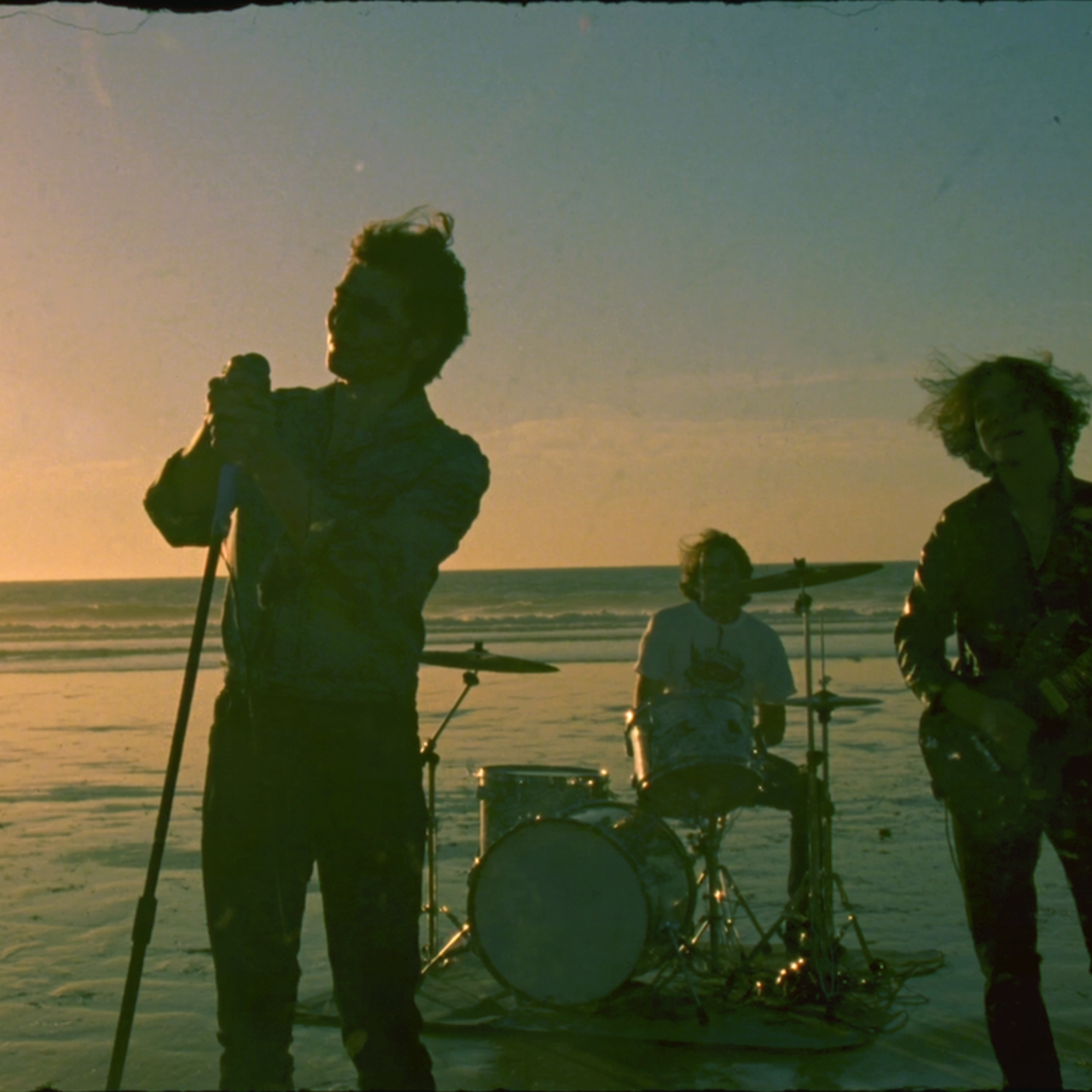
Prompt (resumen): Cinematic hip-hop / rap music video. Lead vocalist in red tracksuit on beach. Rapper says "Hello" in 8 languages in order: English → Chinese → Japanese → Korean → Portuguese → Thai → Spanish → Arabic. 8 shots with hard cuts, precise lip sync. No subtitles. 20 seconds.
Comparativa de modelos
| Característica | Seedance 2.5 | Seedance 2.0 | Seedance 2.0 fast | Seedance 2.0 mini | |
|---|---|---|---|---|---|
| Model ID | dreamina-seedance-2-5-260628 | dreamina-seedance-2-0-260128 | dreamina-seedance-2-0-fast-260128 | dreamina-seedance-2-0-mini-260615 | |
| Text-to-video | ✓ | ✓ | ✓ | ✓ | |
| First-frame-to-video | ✓ | ✓ | ✓ | ✓ | |
| First-last-frame-to-video | ✓ | ✓ | ✓ | ✓ | |
| Omni reference | Image reference | ✓ | ✓ | ✓ | ✓ |
| Video reference | ✓ | ✓ | ✓ | ✓ | |
| Audio reference (solo) | ✓ | ✗ (req img/vid) | ✗ (req img/vid) | ✗ (req img/vid) | |
| Combined reference | ✓ | ✓ | ✓ | ✓ | |
| Edit video | ✓ | ✓ | ✓ | ✓ | |
| Extend video | ✓ | ✓ | ✓ | ✓ | |
| Video with audio | ✓ | ✓ | ✓ | ✓ | |
| Max reference assets | 50 (30 img + 10 vid + 10 aud) | 15 (9+3+3) | 15 (9+3+3) | 15 (9+3+3) | |
| Output specs | Resolución | 480p / 720p / 1080p (10-bit) | 480p / 720p / 1080p / 4K (10-bit) | 480p / 720p | 480p / 720p |
| Aspect ratio | 21:9, 16:9, 4:3, 1:1, 3:4, 9:16, adaptive | igual | igual | igual | |
| Duración | 4–30 s o -1 | 4–15 s o -1 | 4–15 s o -1 | 4–15 s o -1 | |
| Formato output | mp4, mov | mp4 | mp4 | mp4 | |
Especificaciones de output
Resolución
Parámetro resolution. Default: 720p
480p— 8-bit color depth720p— 8-bit color depth1080p— 10-bit color depth, H.265/HEVC (puede requerir VLC, mpv o QuickTime para reproducir)
Aspect ratio
Parámetro ratio. Default: adaptive
Valores: 16:9, 4:3, 1:1, 3:4, 9:16, 21:9, adaptive
adaptive.| Resolución | Aspect Ratio | Dimensiones (px) |
|---|---|---|
| 480p | 16:9 | 854×480 |
| 4:3 | 752×560 | |
| 1:1 | 640×640 | |
| 3:4 | 560×752 | |
| 9:16 | 480×854 | |
| 21:9 | 992×432 | |
| 720p | 16:9 | 1280×720 |
| 4:3 | 1112×834 | |
| 1:1 | 960×960 | |
| 3:4 | 834×1112 | |
| 9:16 | 720×1280 | |
| 21:9 | 1470×630 | |
| 1080p | 16:9 | 1920×1080 |
| 4:3 | 1664×1248 | |
| 1:1 | 1440×1440 | |
| 3:4 | 1248×1664 | |
| 9:16 | 1080×1920 | |
| 21:9 | 2206×946 |
Duración
Parámetro duration. Default: -1. Rango: [4, 30] o -1
-1en editing: mantiene la duración del vídeo a editar (diferencia máx. 0.4 s)-1en otros: el modelo elige una duración entre [4, 30]
duration solo soporta -1. El vídeo input debe tener [4, 30] s.Formato de output (mov)
Parámetro output_format. Valores: mp4 (default) o mov
- mp4: Formato de uso general, máxima compatibilidad
- mov: Alta precisión de color para escenarios profesionales. Usa H.264 video + yuv444p chroma sampling + PCM audio. Recomendado para video editing y extension
| Player | macOS | Windows |
|---|---|---|
| IINA | ✓ | ✕ |
| VLC | ✓ | ✓ |
| mpv | ✓ | ✓ |
| ffplay | ✓ | ✓ |
Prompt Tips (resumen)
- Fórmula básica: sujeto + acción/evento + escena/entorno + estilo visual + movimiento de cámara/cortes + sonido
- Asset referencing:
@Image 1,@Video 1,@Audio 1— especificar qué proporciona cada asset (apariencia, acción, timbre) - Caracteres especiales para sonido:
()= música,<>= efectos de sonido,{}= diálogo,【】= subtítulos - Usar el Seedance 2.5 Skill para optimizar prompts:
/sd25-pe + tu prompt - Ver guía completa de prompts: seedance25-guide.html
Límites de uso
Imágenes
- Formatos: jpeg, png, webp, bmp, tiff, gif, heic, heif
- Aspect ratio (width/height): [0.4, 2.5]; Dimensiones px: [300, 6000]
- Tamaño: < 30 MB por imagen; request body < 64 MB
- Cantidad: 1–30 imágenes (omni reference)
Vídeos
- Formatos: mp4 (H.264/H.265 + AAC/MP3), mov (H.264/H.265 + AAC/MP3/PCM)
- Resolución: 480p, 720p; FPS: [24, 60]
- Duración: [2, 30] s (non-editing); [4, 30] s (editing)
- Hasta 10 vídeos, duración total ≤ 30 s
- Tamaño: < 200 MB por vídeo
Audio
- Formatos: wav, mp3; Duración: [2, 30] s por clip
- Hasta 10 clips, duración total ≤ 30 s; Tamaño: < 15 MB por clip
Retención
- Task records: 7 días
- Video URL: 24 horas, máx. 100 descargas — descargar a tiempo
Rate limits
| Dimensión | Enterprise | Individual |
|---|---|---|
| Max RPM | 600 | 180 |
| Max Concurrency | 10 | 3 |
Versión China (ZH) — Doubao Seedance 2.5 教程
ark-project.tos-cn-beijing.volces.com) y se llama "Doubao Seedance 2.5" en el mercado chino.Acceder en: docs.volcengine.com/docs/82379/2607688?lang=zh
Diferencias clave CN vs EN
- Precio en CNY: balance > 200 元 (vs USD 30)
- Endpoint:
https://ark.cn-beijing.volces.com/api/v3/... - Keyword de edición en chino: 编辑视频、增加/加上、删除/去掉、修改/替换/改成
- Keyword de extensión en chino: 向前/向后延长、延续、续写